



Slow Laptop Driving You Crazy? 10 Amazon Upgrades That Can Make It Feel Fast Again
Disclosure: As an Amazon Associate, The Light Span may earn a commission from qualifying purchases made through links in this article. This comes at no additional cost to you and helps support our independent reviews and buying guides. We only recommend products that solve real problems and are highly rated by customers.
You don’t always need to buy a new laptop.
In many cases, a few carefully chosen accessories can dramatically improve your everyday experience. Whether your laptop feels sluggish, overheats during long work sessions, runs out of storage, or simply isn’t comfortable to use, there are affordable upgrades that can solve those problems.
This guide features ten highly rated Amazon products that help improve performance, organization, comfort, and productivity for students, professionals, remote workers, creators, and everyday users.
Quick Comparison
| Product | Best For | Rating |
|---|---|---|
| Samsung T9 Portable SSD | Faster Storage | ⭐⭐⭐⭐⭐ |
| Anker 8-in-1 USB-C Hub | Extra Ports | ⭐⭐⭐⭐⭐ |
| Razer Laptop Cooling Pad | Cooling | ⭐⭐⭐⭐⭐ |
| Logitech MX Master 3S | Productivity | ⭐⭐⭐⭐⭐ |
| Nulaxy Laptop Stand | Better Ergonomics | ⭐⭐⭐⭐⭐ |
| Crucial X10 Pro Portable SSD | Large File Storage | ⭐⭐⭐⭐⭐ |
| Tomtoc Laptop Sleeve | Protection | ⭐⭐⭐⭐⭐ |
| Logitech MX Keys S | Comfortable Typing | ⭐⭐⭐⭐⭐ |
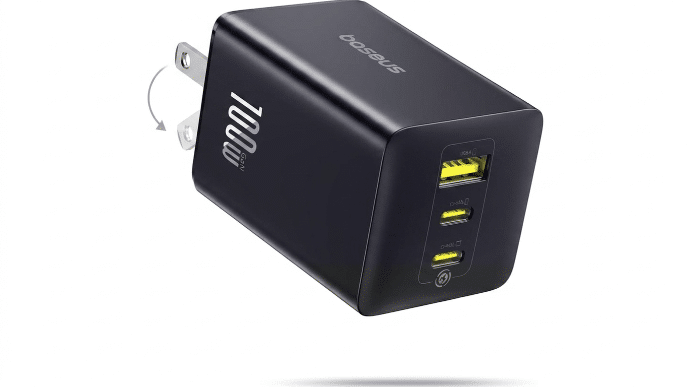
| Baseus 100W USB-C Charger | Fast Charging | ⭐⭐⭐⭐⭐ |
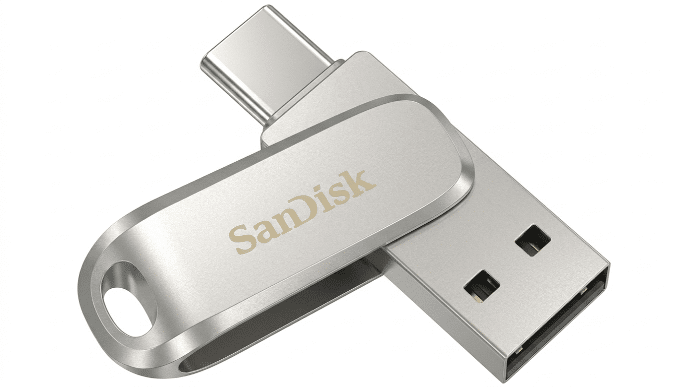
| SanDisk Ultra Dual Drive Luxe | Easy File Transfers | ⭐⭐⭐⭐☆ |
⭐ 1. Samsung T9 Portable SSD (Editor’s Choice)
The Problem
Running out of storage or using a slow external hard drive can make transferring files painfully slow.
Why We Recommend It
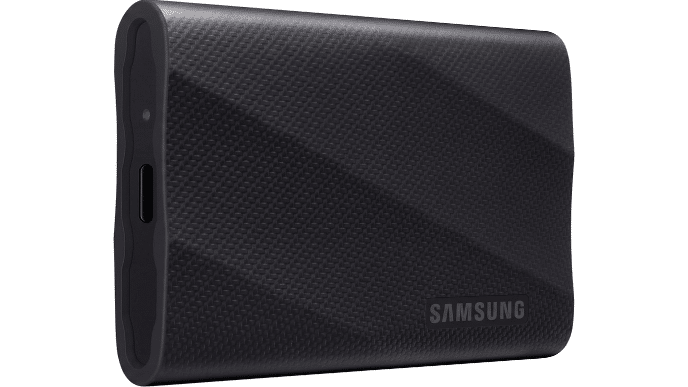
The Samsung T9 Portable SSD delivers incredibly fast transfer speeds, making backups, video editing, and large file transfers significantly quicker. It’s compact, durable, and compatible with Windows, macOS, and many mobile devices.
Pros
- Extremely fast performance
- Compact and portable
- Durable metal construction
- Excellent reliability
Cons
- More expensive than traditional hard drives
Amazon Search
2. Anker 8-in-1 USB-C Hub
The Problem
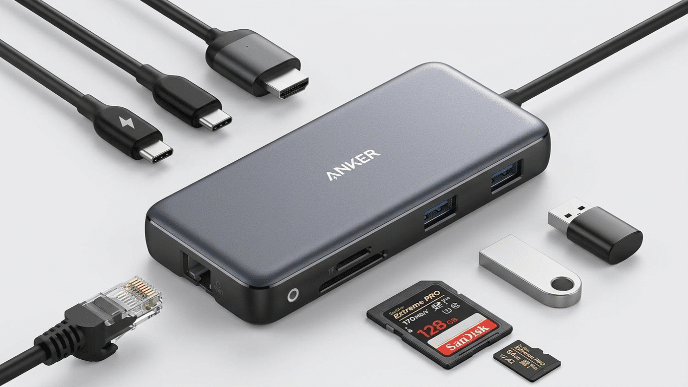
Modern laptops often have too few ports for monitors, USB drives, SD cards, and Ethernet.
Why We Recommend It
This hub instantly expands your laptop’s connectivity with HDMI, USB-A, USB-C, SD card readers, and more.
Pros
- Multiple ports
- Reliable brand
- Plug-and-play
- Compact
Cons
- Requires a USB-C port
Amazon Search
3. Razer Laptop Cooling Pad
The Problem
Overheating reduces performance and can shorten your laptop’s lifespan.
Why We Recommend It
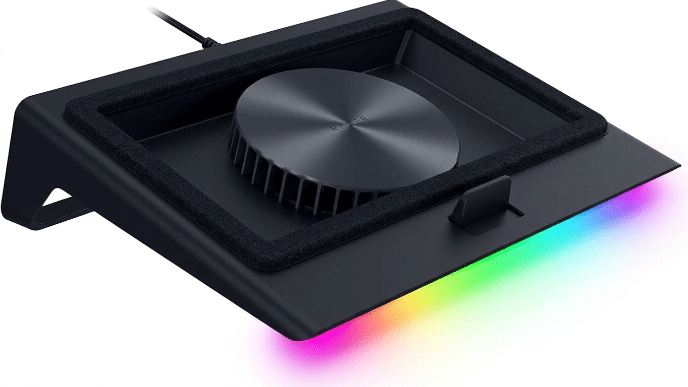
A quality cooling pad improves airflow, helping maintain better temperatures during gaming, editing, or long work sessions.
Pros
- Quiet fans
- Adjustable angles
- RGB lighting
- Better airflow
Cons
- Requires USB power
Amazon Search
4. Logitech MX Master 3S
The Problem
Cheap mice can slow productivity and cause wrist discomfort.
Why We Recommend It
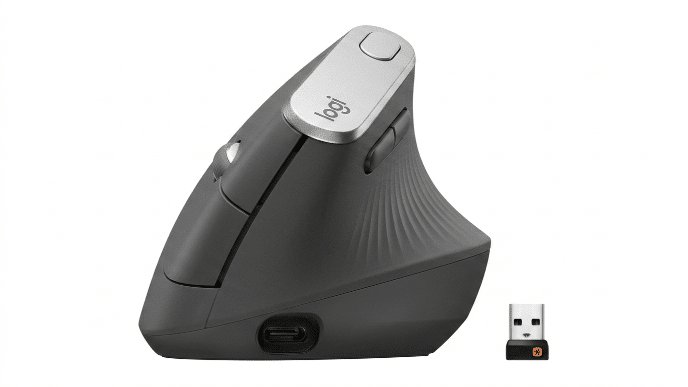
Widely regarded as one of the best productivity mice, it offers precision tracking, customizable buttons, and exceptional comfort.
Pros
- Comfortable
- Highly customizable
- Silent clicks
- Long battery life
Cons
- Premium price
Amazon Search
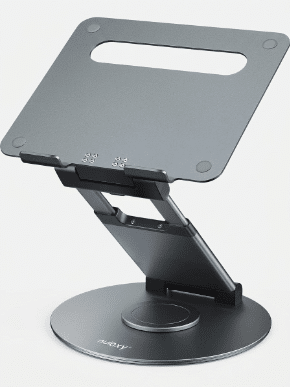
5. Nulaxy Laptop Stand
The Problem
Looking down at your laptop all day often causes neck and back pain.
Why We Recommend It
This aluminum stand raises your laptop to eye level, promoting better posture and improving airflow.
Pros
- Strong aluminum build
- Adjustable viewing angle
- Better ergonomics
Cons
- External keyboard recommended
Amazon Search
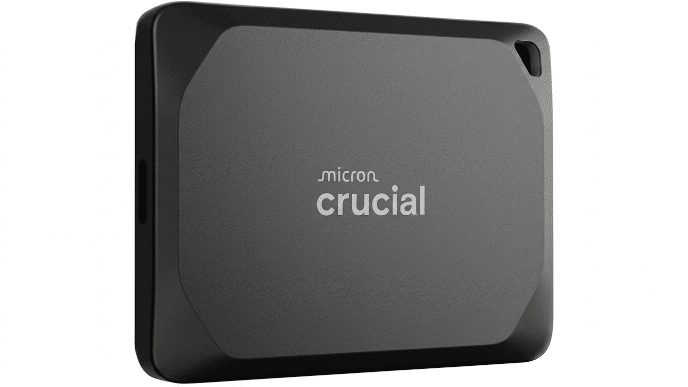
6. Crucial X10 Pro Portable SSD
The Problem
Creative professionals often need additional high-speed storage.
Why We Recommend It
Perfect for photographers, video editors, and content creators handling large files.
Pros
- Very fast
- Rugged
- Compact
Cons
- Premium pricing
Amazon Search
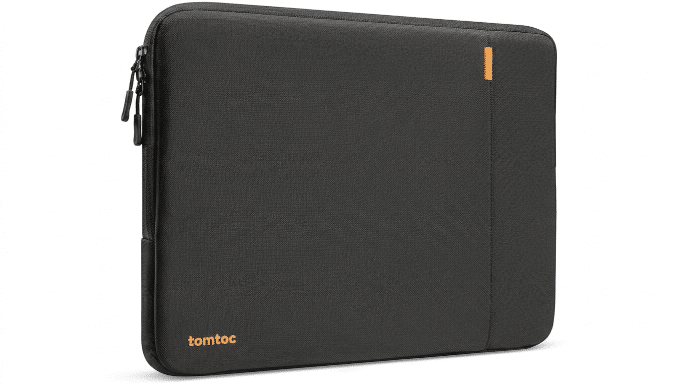
7. Tomtoc Laptop Sleeve
The Problem
Carrying your laptop without protection increases the risk of scratches and damage.
Why We Recommend It
A padded sleeve provides everyday protection without adding much bulk.
Pros
- Lightweight
- Water-resistant
- Soft interior
Cons
- Limited accessory storage
Amazon Search
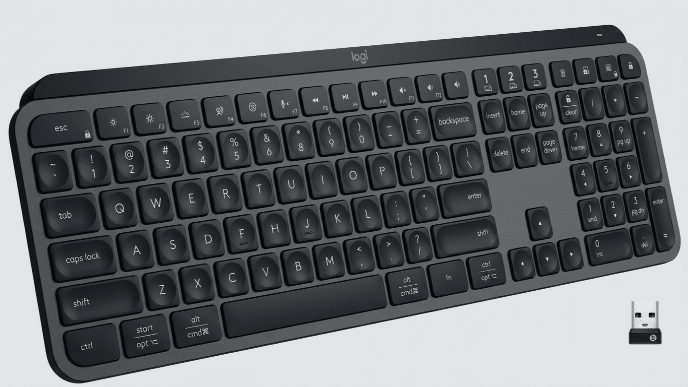
8. Logitech MX Keys S
The Problem
Laptop keyboards aren’t always comfortable for long typing sessions.
Why We Recommend It
This premium wireless keyboard delivers excellent typing comfort and supports multiple devices.
Pros
- Quiet keys
- Excellent battery life
- Comfortable typing
Cons
- Premium cost
Amazon Search
9. Baseus 100W USB-C Charger
The Problem
Carrying multiple chargers creates unnecessary clutter.
Why We Recommend It
A compact GaN charger powers laptops, phones, and tablets from a single device.
Pros
- Compact
- Fast charging
- Multiple ports
Cons
- Charging cable may be sold separately
Amazon Search
10. SanDisk Ultra Dual Drive Luxe
The Problem
Moving files between phones and computers can be frustrating.
Why We Recommend It
This dual USB-C/USB-A flash drive makes transferring files quick and convenient.
Pros
- Dual connectors
- Compact
- Reliable
Cons
- Smaller capacity than SSDs
Amazon Search
Buying Guide
Before purchasing laptop accessories, identify your biggest frustration.
- Running out of storage? → Portable SSD.
- Laptop overheating? → Cooling pad.
- Poor posture? → Laptop stand.
- Need more ports? → USB-C hub.
- Typing all day? → External keyboard.
- Travel often? → Laptop sleeve.
- Editing videos? → High-speed SSD.
- Using multiple devices? → Productivity mouse and keyboard.
Start with the accessory that solves your biggest daily problem. Small upgrades often provide better value than replacing your entire laptop.
Frequently Asked Questions
Will these accessories make an old laptop faster?
They won’t upgrade your processor, but faster external storage, improved cooling, and better ergonomics can noticeably improve your overall experience.
Is an external SSD worth buying?
Yes. External SSDs are much faster than traditional hard drives and are excellent for backups, file transfers, and creative work.
Do I need a cooling pad?
If your laptop becomes hot during gaming, video editing, or extended workloads, a cooling pad can help maintain performance.
What’s the first accessory I should buy?
For most users, an external SSD or USB-C hub provides the biggest day-to-day improvement.
Final Verdict
A slow or uncomfortable laptop doesn’t always mean it’s time to buy a new one.
The right accessories can improve storage, cooling, connectivity, ergonomics, and productivity at a fraction of the cost of a replacement.
Our Editor’s Choice, the Samsung T9 Portable SSD, offers one of the most noticeable upgrades by delivering lightning-fast storage, reliable performance, and long-term versatility.
The Light Span Perspective
Technology should help you work smarter—not frustrate you. Many people replace perfectly good laptops when the real issue is limited storage, overheating, poor ergonomics, or inadequate connectivity. A few carefully selected accessories can solve these everyday problems while extending the life of your device.
At The Light Span, we focus on recommending products that deliver practical value rather than chasing trends. Our goal is to help readers make informed purchases that improve productivity, comfort, and long-term performance.
Continue reading more

